It has been a long time since I have visited this blog. This is post #85, and it will be my last post in here.
My original ideas were too ambitious and they depended upon technology that was going out of use (Adobe Flash, for example). The decision for Adobe to abandon their own video format has also made it impossible to continue with the project as planned.
It was not a total waste of time. I have learned much and over the past few years I have simplified my approach. In fact, much of what I am now doing is MORE accessible to most teachers. My school has gone 1-1 technology with Chromebooks for every student. My video editing software is much easier to use, and online resources such as Edpuzzle have made it easier for educators to bring interactive technology into the classroom.
I have started a new blog where I share my tales, and tips for those who are interested.

I want to flip my high school classroom. What does that mean? How do you do it? How will this affect my students? Come find out!
Monday, May 27, 2019

Monday, January 6, 2014
MAJOR MAJOR PROBLEM WITH ADOBE CREATIVE CLOUD
Short Version: There is a major problem with Adobe Creative Cloud in particular, and with Adobe products in general.... This problem is bad enough that (1) I will most likely be CANCELING my Creative Cloud subscription, (2) will probably NO LONGER use Adobe products for PRODUCTION of anything in the future, and, (3) this all may inevitably lead to my DROPPING the entire "flipping the classroom project"
Long Version: I have taken a couple months break away from video editing only to come back to my Adobe Premiere CC to find out that .flv video format IS NO LONGER SUPPORTED as an IMPORTED FILE FORMAT. EVERY SINGLE ONE OF MY VIDEOS was using .flv to create Alpha channels (the "invisible" portion of the video). I would spend several hours creating the main file in Premiere... then export them over to After Effects and re-import them into Premier in the form of a .flv file with Alpha channel.... Then I would export the FINAL FILE FORMAT as a .flv with Alpha channel and MARKERS to be used in my Adobe Flash Professional files...
All of this assumed that Adobe would continue to support its native .flv files.
Apparently they are not.
Their are TWO BIG PROBLEMS right now:
(a) I no longer trust Adobe products. How can I plan on spending over 1000 hours of my time over the next two years, committing to use Adobe as my core workspace, when I can no longer trust them? I will have to start from SCRATCH and RE-TRAIN myself using a more reliable set of products.
(b) Months ago I have already stopped focusing on the Flash "virtual labs" programming because continuation of the Flash format has been in doubt... Instead I focused on the VIDEO LECTURES because I figured I could, at worst, use Adobe Premiere to translate the videos into OTHER video formats (other than .flv) and then use them in OTHER WAYS.... Such as on YouTube, or, possibly, with HTML 5 programming that would be more user-friendly. HOWEVER, ALL OF MY ORIGINAL PREMIERE VIDEO FILES have been made (almost) worthless by this new update to discontinue importing .flv files. (ALL OF MY VIDEO FILES IMPORT .flv FILES INTO THEMSELVES). It will now take me HOURS of work JUST to go BACK and transition my PREVIOUS files into non-Alpha channel files to be used on YouTube, etc. AND EVEN THEN, MOST OF MY FILES REQUIRE .flv for ALPHA CHANNELS so I would not be able to fix them in anycase! - Basically: ALL OF MY PREVIOUS WORK HAS BEEN DONE FOR NAUGHT.
Here is the link to the announcement from Adobe: FLV FILES WILL NO LONGER BE ABLE TO BE IMPORTED INTO ADOBE PREMIERE
Over 400 hours of work, wasted... and over $1300 of investment for naught.
Here is a link to a thread on the Adobe forums where I posted my disappointment with them.
Long Version: I have taken a couple months break away from video editing only to come back to my Adobe Premiere CC to find out that .flv video format IS NO LONGER SUPPORTED as an IMPORTED FILE FORMAT. EVERY SINGLE ONE OF MY VIDEOS was using .flv to create Alpha channels (the "invisible" portion of the video). I would spend several hours creating the main file in Premiere... then export them over to After Effects and re-import them into Premier in the form of a .flv file with Alpha channel.... Then I would export the FINAL FILE FORMAT as a .flv with Alpha channel and MARKERS to be used in my Adobe Flash Professional files...
All of this assumed that Adobe would continue to support its native .flv files.
Apparently they are not.
Their are TWO BIG PROBLEMS right now:
(a) I no longer trust Adobe products. How can I plan on spending over 1000 hours of my time over the next two years, committing to use Adobe as my core workspace, when I can no longer trust them? I will have to start from SCRATCH and RE-TRAIN myself using a more reliable set of products.
(b) Months ago I have already stopped focusing on the Flash "virtual labs" programming because continuation of the Flash format has been in doubt... Instead I focused on the VIDEO LECTURES because I figured I could, at worst, use Adobe Premiere to translate the videos into OTHER video formats (other than .flv) and then use them in OTHER WAYS.... Such as on YouTube, or, possibly, with HTML 5 programming that would be more user-friendly. HOWEVER, ALL OF MY ORIGINAL PREMIERE VIDEO FILES have been made (almost) worthless by this new update to discontinue importing .flv files. (ALL OF MY VIDEO FILES IMPORT .flv FILES INTO THEMSELVES). It will now take me HOURS of work JUST to go BACK and transition my PREVIOUS files into non-Alpha channel files to be used on YouTube, etc. AND EVEN THEN, MOST OF MY FILES REQUIRE .flv for ALPHA CHANNELS so I would not be able to fix them in anycase! - Basically: ALL OF MY PREVIOUS WORK HAS BEEN DONE FOR NAUGHT.
Here is the link to the announcement from Adobe: FLV FILES WILL NO LONGER BE ABLE TO BE IMPORTED INTO ADOBE PREMIERE
Over 400 hours of work, wasted... and over $1300 of investment for naught.
Here is a link to a thread on the Adobe forums where I posted my disappointment with them.
Sunday, September 29, 2013
Started Unit 5 (Gravity)
This weekend I finally started the next unit which is an introduction to gravity.
It took me a while to revamp my old notes because I decided to re-arrange some things as well. Digitalizing the notes took 2:50 time. (Plus I did about 3 hours yesterday updating and smoothing out Unit 3 for my students to use this week.)

Time spend = 6 hours
It took me a while to revamp my old notes because I decided to re-arrange some things as well. Digitalizing the notes took 2:50 time. (Plus I did about 3 hours yesterday updating and smoothing out Unit 3 for my students to use this week.)

Time spend = 6 hours
Sunday, September 15, 2013
Completed UPGRADE of my account
Since my new, faster server is working well I have completed the process of moving over to the new server.
Today I contacted FatCow and cancelled my old account and paid my new account for two years.
www.colbysworld.net will be running for two years (up for renewal September of 2014) and it has cost me $400 (When you buy two years at once you are billed $16.99 per month instead of the $24.99 per month I would have been billed if I paid per month)
Cost: $400
Today I contacted FatCow and cancelled my old account and paid my new account for two years.
www.colbysworld.net will be running for two years (up for renewal September of 2014) and it has cost me $400 (When you buy two years at once you are billed $16.99 per month instead of the $24.99 per month I would have been billed if I paid per month)
Cost: $400
Saturday, September 14, 2013
Video Lesson added to YouTube
I added four mini-videos together to make a YouTube video....
Videos from Unit 3..... 3_04, 3_05, 3_06, and 3_07. These are from the very first lecture that I actually created... Force.
Also, I created a "jump" password to the Unit 3 lectures.... Now when a student gets about halfway through one lecture they will be given a password that, if they enter it at the beginning of the lecture, will allow them to jump halfway through the lecture. This way students will be able to complete HALF of a lecture in maybe 15 minutes, save the results, and then come back at a later time. This is crucial as it will allow students to come in AT LUNCH OFFICE HOURS to complete at least part of a lecture.

Time to make "jump" password work on Unit 3 lectures = 2.75 hrs
Videos from Unit 3..... 3_04, 3_05, 3_06, and 3_07. These are from the very first lecture that I actually created... Force.
Also, I created a "jump" password to the Unit 3 lectures.... Now when a student gets about halfway through one lecture they will be given a password that, if they enter it at the beginning of the lecture, will allow them to jump halfway through the lecture. This way students will be able to complete HALF of a lecture in maybe 15 minutes, save the results, and then come back at a later time. This is crucial as it will allow students to come in AT LUNCH OFFICE HOURS to complete at least part of a lecture.

Time to make "jump" password work on Unit 3 lectures = 2.75 hrs
Thursday, September 12, 2013
“Flipping the classroom” conference report
I attended a
one-day conference on flipping the classroom the other day and was able to “pick
up” a bunch of information. This has been the first time I was able to meet and
hear directly from other teachers (a Physics and Chemistry teacher, no less)
who have been working on flipping their classrooms.
(b) Snagit - $30
(c) Screencast-o-matic (free, sort of)
(d) APPs for iPad and other devices:
- Show Me
- Screen Chomp
- Educreation
- Doceri (which can also control your MAC/PC remotely)
Two
big pieces of information I discovered was: (a) Jon Waggle (one of the presenters)
highly recommends Camtasia software (so, I am not the only one that likes this
particular software), and (b) there are LOTS of different ways to actually
record a “lecture/lesson” to get it online.
HERE IS A LIST OF NOTES/LINKS/FINDINGS from the event:
(1) Edmodo
is a great way to quickly set up a “classroom” focal point online from which
students can log in, post comments, as well as the teacher being able to post
links to online resources and his/her own online lectures/powerpoints/word
documents.
(2) Different
ways to record your lectures:
(a) Debut -
$30(b) Snagit - $30
(c) Screencast-o-matic (free, sort of)
(d) APPs for iPad and other devices:
- Show Me
- Screen Chomp
- Educreation
- Doceri (which can also control your MAC/PC remotely)
(3) “Inking”
is a way of “writing” over all Microsoft programs. You have to play around with
the “file options” and get the right button placed on the “ribbon” in order to
access inking, but it is a very quick and easy (no cost) method of being able
to handwrite notes on Powerpoint, Word, Excel, etc.
(4) Rendering
Time – Even the teachers at the conference had computers that would take quite
a bit of time to render their video lectures. I need to keep that in mind when
I talk with other teachers. I am fortunate to have a computer that renders
relatively quickly. (Rendering is when the computer is turning your work/file
into the correct video format that you can upload to the internet.) One example given was a 20 minute video on
Camtasia that took something like 20-to-25 minutes to render. On my computer a
15 minute Camtasia video takes something like 5 minutes to render. One thing important to ensure quicker rendering times is to have a computer with at least 2 gigabytes of RAM (my computer currently has 4 Gigabytes.... I might upgrade to 8 Gigabytes some day)
(5) flipping
the classroom is very SCALEABLE…. In other words, the teacher can include these
technologies in varying degrees depending on their resources, time, and needs. The
content doesn’t HAVE to be used “away from the classroom,” for example. ..A
video lesson could be created that can be used IN THE CLASSROOM by a sub-set of
students while the teacher works with ANOTHER group of students on something
else. They are also scaleable in that you can put varying degrees of time and resources into the creation of a single online lecture.... For example: you can just record a lecture "live" while you do it in class, then just post a link to it. This is a great, quick way to provide a lesson for students to go back for review OR for students who were absent for your class. At the other end, you can put together a more production-heavy presentation complete with a full, flipped lesson plan... The students watch the online lecture BEFORE class and then the next day their is an accompanying lesson in class.
(6) SAMPLE LESSONS - These were FIRST TIME LESSONS created by teachers (High School and Junior High Science Teachers) WHILE they were at the conference. NOTE: all of these presentations were created in a room with OTHER teachers working on similar projects at the same time so you will hear background noise throughout.
(a) MolarSolutions Video - by Erin McKay
(b) Mole Example - by Stephan Unterholzner (made with "educreation" app on iPad)
(c) Got Cells - by Jeff Baker (made with screencast-o-matic)
(d) Forces - by <sorry... unknown>
(e) Cow Eye Dissection - by De Wood (made with screencast-o-matic)
(f) Igneous Rock - by Sarah Schreiber (made with "educreation" app on iPad)
(g) Read Between the Lines - by Kim Stewart (a powerpoint with "inking")
(h) Factoring Equations - by Debra Newburg (made with "educreation" app on iPAd)
(I) Forms of Energy - by Lori Ruegsegger (made with "educreations" app on iPad)
(7) Here is the "Flipping the Classroom" powerpoint from the main presentation of the day.
(8) Here is the opening video that was shown for the conference from the creator of Khan Academy.
(8) Here is the opening video that was shown for the conference from the creator of Khan Academy.
Tuesday, September 3, 2013
I am going to my FIRST "Flipping" Conference
I am excited that I am going to be able to go to a one day conference about Flipping the classroom. This will be my first conference on this topic. I'll report back after the conference...
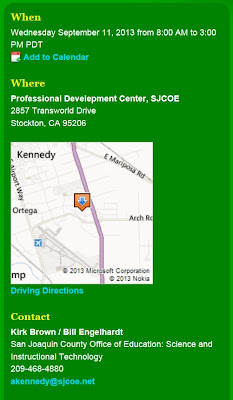
Here is the write-up:
---------------------------------------
----------------------------------------

Here is the write-up:
---------------------------------------
Flipping
Instruction: Freeing up time for NGSS Science and Engineering
Practices
21st
Century classrooms must utilize all forms of technology to meet students where
they are at. Using "flipping" strategies are one way to increase engagement,
differentiate instruction, and free up time to integrate science and engineering
practices into the curriculum. This workshop will be held on September 11th and
is open to all K-12 educators.
----------------------------------------
Completed Lesson 1.3
Lesson 1.3 is 6 parts. It took a total of (nearly) 22 hours to complete. (I had to wait to complete the fifth mini-video because I could not get it done in time last week due to all of the work required to transfer my entire site over to a new server....)
Plus I put in 40 minutes to fix some bugs with lesson 1.2
Total time spent: 22.5 hrs.
Plus I put in 40 minutes to fix some bugs with lesson 1.2
Total time spent: 22.5 hrs.
Monday, September 2, 2013
I MOVED MY ENTIRE SITE TO A NEW SERVER
So, most of you probably won't have to deal with this.... but, since I am running my own video server... and since I have 35+ students downloading these videos simultaneously, during class time, there were issues with my previous server.
I was on what is called a "shared server"... which means that I share bandwidth with who-knows-how-many other web page clients. During peak internet hours there just was not enough bandwidth to handle the load.... My videos would freeze and that is not good in the format that I am using (students have to reload the entire lesson if a video freezes and fails to load.)
So I am going with the same company (www.fatcow.com) but am paying for a VPS server. Now I basically get 1/4th of a whole server to myself, with 1 TB (yes, 1 terabyte!) of bandwidth for www.colbysworld.net.
The downside: I have entered a whole new universe of webpage hosting. They have given me WAY too much control over the server and things have gotten way too complicated. Luckily they have GREAT customer support and they have guided me through the rough spots. After a couple days of FREAKING OUT and getting very lost and upset.... Everything is BACK ONLINE on the new server! Yes!
On Friday I took ONE CLASS into the computer lab (5th period) and the videos all downloaded fine. (That was not really peak internet hours though.)
Tomorrow (Tuesday) I am going to take my other for classes into the computer lab during 1st through 4th period to see if my move over to the new server was worth it.
I will post a brief update RIGHT HERE after tomorrow. Let's see what happens... (keeping fingers crossed for now.)
UPDATE: The new server worked great! Not a single student (out of 130 students) had a frozen or locked up video or had to "refresh" and start the lesson over today, and this was 1st through 4th period during some peak Internet traffic hours.
Time to set up new server: (previous two hours logged in plus at least another 8 hours
I was on what is called a "shared server"... which means that I share bandwidth with who-knows-how-many other web page clients. During peak internet hours there just was not enough bandwidth to handle the load.... My videos would freeze and that is not good in the format that I am using (students have to reload the entire lesson if a video freezes and fails to load.)
So I am going with the same company (www.fatcow.com) but am paying for a VPS server. Now I basically get 1/4th of a whole server to myself, with 1 TB (yes, 1 terabyte!) of bandwidth for www.colbysworld.net.
The downside: I have entered a whole new universe of webpage hosting. They have given me WAY too much control over the server and things have gotten way too complicated. Luckily they have GREAT customer support and they have guided me through the rough spots. After a couple days of FREAKING OUT and getting very lost and upset.... Everything is BACK ONLINE on the new server! Yes!
On Friday I took ONE CLASS into the computer lab (5th period) and the videos all downloaded fine. (That was not really peak internet hours though.)
Tomorrow (Tuesday) I am going to take my other for classes into the computer lab during 1st through 4th period to see if my move over to the new server was worth it.
I will post a brief update RIGHT HERE after tomorrow. Let's see what happens... (keeping fingers crossed for now.)
UPDATE: The new server worked great! Not a single student (out of 130 students) had a frozen or locked up video or had to "refresh" and start the lesson over today, and this was 1st through 4th period during some peak Internet traffic hours.
Time to set up new server: (previous two hours logged in plus at least another 8 hours
Wednesday, August 28, 2013
THIRD/FOURTH DAY IN CLASS
Well.... there were complications.
Videos were freezing.... during download.... Especially during 1st and 2nd period.
I contacted my webpage provider (fatcow.com) and we eventually determined that..... My account is on a SHARED server which is not always going to be adequate for 30+ students simultaneously downloading/streaming videos.... It becomes a big problem during "peak hours" of internet use... such as the middle of the weekday....
I have a back-up plan of saving a copy of my website on the SCHOOL NETWORK HARD DRIVE.... However, that has its own problems.... I won't get into the details.. but it involves re-coding my Flash files AND having TWO versions of my MUSE webpage files..... Two consequences would be that my online site and the local network site would not be IDENTICLE.... It would be near impossible to make identical changes simultaneously every time I made a change. The other consequence would be that it would require quite a bit MORE WORK for me to keep up with BOTH the Network and the Online versions.
I am going to try something else for a while.... And, yes, it costs more money....
I paid $13 for ONE MONTH of VSP hosting. Basically I will be getting 1/4th of a server instead of sharing one server with 30 or 50 other clients.

Here is an image of me transferring just my Unit 1 video files over to the NEW SITE. This whole process will take a couple hours.... I need to upload my .swf files, and my MUSE webpage files.
Fatcow.com will let me keep the same domain name.... they are in the process of transferring it as I type this... Hopefully it will be fully functional by tomorrow so I can retry with my Honors class.
Time = 2 hrs
Cost = $13
Videos were freezing.... during download.... Especially during 1st and 2nd period.
I contacted my webpage provider (fatcow.com) and we eventually determined that..... My account is on a SHARED server which is not always going to be adequate for 30+ students simultaneously downloading/streaming videos.... It becomes a big problem during "peak hours" of internet use... such as the middle of the weekday....
I have a back-up plan of saving a copy of my website on the SCHOOL NETWORK HARD DRIVE.... However, that has its own problems.... I won't get into the details.. but it involves re-coding my Flash files AND having TWO versions of my MUSE webpage files..... Two consequences would be that my online site and the local network site would not be IDENTICLE.... It would be near impossible to make identical changes simultaneously every time I made a change. The other consequence would be that it would require quite a bit MORE WORK for me to keep up with BOTH the Network and the Online versions.
I am going to try something else for a while.... And, yes, it costs more money....
I paid $13 for ONE MONTH of VSP hosting. Basically I will be getting 1/4th of a server instead of sharing one server with 30 or 50 other clients.

Here is an image of me transferring just my Unit 1 video files over to the NEW SITE. This whole process will take a couple hours.... I need to upload my .swf files, and my MUSE webpage files.
Fatcow.com will let me keep the same domain name.... they are in the process of transferring it as I type this... Hopefully it will be fully functional by tomorrow so I can retry with my Honors class.
Time = 2 hrs
Cost = $13
Friday, August 23, 2013
Second Day In Class - The Computer Lab
Today I took my Honors Physics class into the computer lab to complete Lecture 1.2. (34 students, after lunch, 5th period.) I was very nervous and excited.....
Remember that yesterday they completed Lecture 1.1 in the classroom as a class.
My overall, immediate evaluation of the day: (a) It WORKED and (b) It was successful.*
------------------------------------------------
I was worried that there might be a problem with 34 students simultaneously downloading 34 videos from my webpage provider. (Remember, only the day before I had a problem downloading a SINGLE version of the video.) But today it was not a problem.
I was also worried that the headphone connections wouldn't work. But that was a piece of cake.
In fact, after the first 10 minutes of chaos most of the bumps/hiccups were worked-out (see below) and it was quite wonderful. The room was very quiet as all of the students wore headphones and had their eyes glued to either the computer screen or their notes. Not a single student "fell asleep" and all but one student COMPLETED THE ASSIGNMENT by the end of the period. It was a very nice day indeed. I am very happy.
Checklist for STUDENTS to bring:
(a) Their computer log-in and password info
(b) Headphones - I told the kids ahead of time to bring headphones. Many of them did. I also have a box of old headphones provided by the school. Some students had to use the old headphones.
(c) Printed Notes - the printed notes "1C" that they were using the day before (I handed out two of these today because the students forgot. However, I do not know how I intend to handle this in the future. Today I was just happy to get students in the lab to see if this would all work.)
Little bumps/hiccups and things that I had to help students with:
(a) Finding my webpage - some students needed help locating the correct URL. (It is printed at the bottom of the notes I gave them yesterday!)
(b) "Loading Video" - Students would stare at that screen for over a minute waiting for a video to load... I would notice this and walk over to them and show them that all they had to do was HOVER the mouse over the screen and click on the "play" button to get the video to play.
(c) FAILED TO PLAY - I had four students who's videos failed to play the first time. I showed them how to "refresh" the screen to reload the Flash file. All four of them worked fine after that.
(d) Screen Zoom - Many students did not know how to ZOOM the screen in/out. I showed them how to use CONTROL button on the keyboard and the MOUSE WHEEL to zoom in/out to make the video player bigger.
(e) SPACE - some students would type an extra space AFTER their answer.... thus getting an "incorrect" message and having to replay the mini-video.
(e) CFU Answer Range Robustness - On one answer the students needed to type "4" or "4 seconds" or "4 s" into the blank to get the correct answer.... But.... quite a few students typed in "4.0" and their answer was kicked back... they had to erroneously re-watch the mini-video. I need to add that answer into the possible correct answers in my Flash file. <== This is where it is helpful for me to try out these files in the computer lab before having students do them at home. I need to make sure MY answers will work.
----------------------------------
*Having said that... I don't know for sure HOW WELL THE STUDENTS ACTUALLY ABSORBED THE INFORMATION YET. That will take further evaluation. (I need to get them back into the classroom and have them doing practice problems, CFUs, quickwrites, etc... to see what they have learned from the video lecture experience.) Remember that, LONG TERM, I want students to do most of these lectures AT HOME or in the LIBRARY and then they come in to class and we jump right in to USING the information.
Remember that yesterday they completed Lecture 1.1 in the classroom as a class.
My overall, immediate evaluation of the day: (a) It WORKED and (b) It was successful.*
------------------------------------------------
I was worried that there might be a problem with 34 students simultaneously downloading 34 videos from my webpage provider. (Remember, only the day before I had a problem downloading a SINGLE version of the video.) But today it was not a problem.
I was also worried that the headphone connections wouldn't work. But that was a piece of cake.
In fact, after the first 10 minutes of chaos most of the bumps/hiccups were worked-out (see below) and it was quite wonderful. The room was very quiet as all of the students wore headphones and had their eyes glued to either the computer screen or their notes. Not a single student "fell asleep" and all but one student COMPLETED THE ASSIGNMENT by the end of the period. It was a very nice day indeed. I am very happy.
Checklist for STUDENTS to bring:
(a) Their computer log-in and password info
(b) Headphones - I told the kids ahead of time to bring headphones. Many of them did. I also have a box of old headphones provided by the school. Some students had to use the old headphones.
(c) Printed Notes - the printed notes "1C" that they were using the day before (I handed out two of these today because the students forgot. However, I do not know how I intend to handle this in the future. Today I was just happy to get students in the lab to see if this would all work.)
Little bumps/hiccups and things that I had to help students with:
(a) Finding my webpage - some students needed help locating the correct URL. (It is printed at the bottom of the notes I gave them yesterday!)
(b) "Loading Video" - Students would stare at that screen for over a minute waiting for a video to load... I would notice this and walk over to them and show them that all they had to do was HOVER the mouse over the screen and click on the "play" button to get the video to play.
(c) FAILED TO PLAY - I had four students who's videos failed to play the first time. I showed them how to "refresh" the screen to reload the Flash file. All four of them worked fine after that.
(d) Screen Zoom - Many students did not know how to ZOOM the screen in/out. I showed them how to use CONTROL button on the keyboard and the MOUSE WHEEL to zoom in/out to make the video player bigger.
(e) SPACE - some students would type an extra space AFTER their answer.... thus getting an "incorrect" message and having to replay the mini-video.
(e) CFU Answer Range Robustness - On one answer the students needed to type "4" or "4 seconds" or "4 s" into the blank to get the correct answer.... But.... quite a few students typed in "4.0" and their answer was kicked back... they had to erroneously re-watch the mini-video. I need to add that answer into the possible correct answers in my Flash file. <== This is where it is helpful for me to try out these files in the computer lab before having students do them at home. I need to make sure MY answers will work.
----------------------------------
*Having said that... I don't know for sure HOW WELL THE STUDENTS ACTUALLY ABSORBED THE INFORMATION YET. That will take further evaluation. (I need to get them back into the classroom and have them doing practice problems, CFUs, quickwrites, etc... to see what they have learned from the video lecture experience.) Remember that, LONG TERM, I want students to do most of these lectures AT HOME or in the LIBRARY and then they come in to class and we jump right in to USING the information.
Thursday, August 22, 2013
First Day In Class - One Computer
Today was the FIRST DAY that students have seen one of my lessons...
Lesson 1.1 - I played it in my classroom on the projector in my Honors Physics class (34 students) 5th period (after lunch)
<PURPOSE>
I wanted to run the lesson during class because: (1) I wanted to see if I could get it to work, (2) I wanted to SHOW the students the details of running it... how to log on to my web page, how to find the lecture and get it to run, how to type in the password, how to print up notes and how the video player worked.... How to answer the CFU questions, and how to get past some of the oddities of the program (3) I wanted to see how the students reacted to the new format.
<BEFORE CLASS>
During lunch I was setting up the online video and making sure it was ready to go, with sound... I also taped up some black plastic over part of the windows in the back of the room because I know that it is harder to see the projector video than it is to see the video on the actual computer. (In particular, in lesson 1.1 there is a moment when a "dot" pops up on the screen.... and it is hard for some students to see unless the classroom is darker.)
Well, there was about 20 minutes of terror.... Because.... For some, unexplained reason... the video just.... FROZE in the middle of its playing. IT HAS NEVER DONE THAT BEFORE. (In the past I have gotten a video to either PLAY or NOT PLAY... but it has never FROZEN in the middle.) I ran Task Manager and watched the Network download rate... and found that the video was downloading VERY SLOWLY... It was basically TRICKLING in. It seemed like the video player paused the video whenever it got to the point where it had not downloaded that part of the video yet. This was more than annoying because I would then press "play" later.... and it STILL was frozen. I tried 6 times AND IT WOULD NOT WORK. Part of my thoughts were that, for SOME REASON, the school's network connection just could not handle my download. Maybe there were a bunch of students in the library on those computers and that was bogging down the school's internet connection????
I was about to throw in the towel..... Then a colleague came in and I was showing her what was wrong.... and.... suddenly the Task Manager showed that the splash video loaded NORMALLY (7 seconds, quick spike of download) and then it played normally. Then the first mini video (Lecture 1.11) loaded and played just fine.... Whatever was causing the slow download 20 minutes ago had gone away!
<DURING CLASS>
I then tried it in my classroom 20 minutes later. The technology worked fine and pretty much as predicted. (Technology is a funny thing. Who knows WHY it just didn't work for awhile? One reason may have been my 8-year-old classroom computer or it's buggy network connection..... I know that it sometimes take my computer a LONG time just to upload a file to the school's server.)
HOW DID THE LECTURE WORK, CONCEPTUALLY?
I gave the students a quick introduction and explained what I was about to do. (I told them that this was an ongoing project and that I was trying to get my lectures online. I told them that I expected the entire project to take two full school years and that they were going to be getting SOME of their lectures in this format and SOME of their lectures in my older, hand-written format.)
They were quite impressed with the opening sequence and first mini-video.
When CFU questions popped up on the screen I randomly called students around the room and THEY told me what to type in. (There are 7 mini-videos for this particular lesson... So it pauses 7 times for students to type in answers.) I often had the CLASS tell me if all of the answers on the screen were correct or not. It worked out alright. When a student said "I don't know" I pointed out something to the effect of...."See... It's ok to have that answer, but just be aware that, in the computer lab tomorrow if you 'don't know' then you will have to watch the mini-video over again. It's ok, because I EXPECT all of you to have to re-watch SOME of the videos SOMETIMES. It's the way it works. If you can FOCUS and get the information the FIRST time, that's great! If not, that's 'ok' too... Just watch again and try to find the answer the second time. But.... be careful of not getting into a video-watching death-spiral of boredom.... where you just tune out and end up watching a video 5 times.... Eventually you just HAVE to pay attention and get the answer." (This is a compilation of replies that I gave over a two day period to various students who did not have an answer.)
FINDINGS:
After about 3-or-4 videos into the lecture it seemed that SOME STUDENTS WERE STARTING TO FIGHT BOREDOME. MANY of the students were fully awake and enjoying the entire video. Some of the students just "went with it" and some were definitely tuned out after awhile. One student had his head down on the desk by the 6th mini-video.
Part of it has to do with THE LIGHTS BEING TURNED OFF for almost the entire period... and the WINDOWS being blacked-out. Also, because the students did not have to copy notes from the screen, they did not have to DO as much. There is something to be said for having students move a pencil around on their paper in order to copy letters off of the screen. It gives their brain/pencil something to do. (But, just because they are copying stuff off of the screen DOES NOT MEAN THEY ARE LEARNING.)
This may NOT be the best format to give lectures. It was never intended to be shown, AS A CLASS. I would rate today's full day of lecture/notes as a "6" whereas my AVERAGE/NORMAL lecture is about a "7"
However, after all is said-and-done.... It may have been that I just was able to NOTICE the boredom of the students more easily because I myself was NOT HAVING TO FOCUS on "delivering the lecture." I was completely free to move around the classroom and watch the students. I could poke some of them awake, point at their notes, etc. THIS ALONE may be a reason to show lectures like this at times. It is less stress on the teacher AND the teacher can monitor students. (If you have 1 teacher and a classroom of students, and only one computer....DI instruction is definitely more effective than using my silly online lecture.... But this was not my intended format for these lectures.... and the online format has other strengths.)
<AFTER CLASS>
I had a couple of students come up to me and ask questions about the video production itself. Obviously it caught their attention. (I think it is always a bonus when a teacher does SOMETHING DIFFERENT than OTHER TEACHERS.) They wanted to know what software I used, how did I record animations, and how long did it take to produce.
My thoughts after the day was over: I was hoping that things would go better IN THE COMPUTER LAB when students were FORCED to answer every question on their own. They could not just sit idly by hoping that one of the other 33 students would save them....
Note: The very next day I did the SAME THING in my OTHER four classes in the morning.... Four College Prep Physics classes, 1st through 4th period, with 34 to 36 students per class. I wrote this blog entry and combined those findings. Those lectures had varying results, although, overall, the students seemed to be more "into" the lectures than my Honors students were the previous day. One period they were even CLAPPING after some of the mini-videos.
Lesson 1.1 - I played it in my classroom on the projector in my Honors Physics class (34 students) 5th period (after lunch)
<PURPOSE>
I wanted to run the lesson during class because: (1) I wanted to see if I could get it to work, (2) I wanted to SHOW the students the details of running it... how to log on to my web page, how to find the lecture and get it to run, how to type in the password, how to print up notes and how the video player worked.... How to answer the CFU questions, and how to get past some of the oddities of the program (3) I wanted to see how the students reacted to the new format.
<BEFORE CLASS>
During lunch I was setting up the online video and making sure it was ready to go, with sound... I also taped up some black plastic over part of the windows in the back of the room because I know that it is harder to see the projector video than it is to see the video on the actual computer. (In particular, in lesson 1.1 there is a moment when a "dot" pops up on the screen.... and it is hard for some students to see unless the classroom is darker.)
Well, there was about 20 minutes of terror.... Because.... For some, unexplained reason... the video just.... FROZE in the middle of its playing. IT HAS NEVER DONE THAT BEFORE. (In the past I have gotten a video to either PLAY or NOT PLAY... but it has never FROZEN in the middle.) I ran Task Manager and watched the Network download rate... and found that the video was downloading VERY SLOWLY... It was basically TRICKLING in. It seemed like the video player paused the video whenever it got to the point where it had not downloaded that part of the video yet. This was more than annoying because I would then press "play" later.... and it STILL was frozen. I tried 6 times AND IT WOULD NOT WORK. Part of my thoughts were that, for SOME REASON, the school's network connection just could not handle my download. Maybe there were a bunch of students in the library on those computers and that was bogging down the school's internet connection????
I was about to throw in the towel..... Then a colleague came in and I was showing her what was wrong.... and.... suddenly the Task Manager showed that the splash video loaded NORMALLY (7 seconds, quick spike of download) and then it played normally. Then the first mini video (Lecture 1.11) loaded and played just fine.... Whatever was causing the slow download 20 minutes ago had gone away!
<DURING CLASS>
I then tried it in my classroom 20 minutes later. The technology worked fine and pretty much as predicted. (Technology is a funny thing. Who knows WHY it just didn't work for awhile? One reason may have been my 8-year-old classroom computer or it's buggy network connection..... I know that it sometimes take my computer a LONG time just to upload a file to the school's server.)
HOW DID THE LECTURE WORK, CONCEPTUALLY?
I gave the students a quick introduction and explained what I was about to do. (I told them that this was an ongoing project and that I was trying to get my lectures online. I told them that I expected the entire project to take two full school years and that they were going to be getting SOME of their lectures in this format and SOME of their lectures in my older, hand-written format.)
They were quite impressed with the opening sequence and first mini-video.
When CFU questions popped up on the screen I randomly called students around the room and THEY told me what to type in. (There are 7 mini-videos for this particular lesson... So it pauses 7 times for students to type in answers.) I often had the CLASS tell me if all of the answers on the screen were correct or not. It worked out alright. When a student said "I don't know" I pointed out something to the effect of...."See... It's ok to have that answer, but just be aware that, in the computer lab tomorrow if you 'don't know' then you will have to watch the mini-video over again. It's ok, because I EXPECT all of you to have to re-watch SOME of the videos SOMETIMES. It's the way it works. If you can FOCUS and get the information the FIRST time, that's great! If not, that's 'ok' too... Just watch again and try to find the answer the second time. But.... be careful of not getting into a video-watching death-spiral of boredom.... where you just tune out and end up watching a video 5 times.... Eventually you just HAVE to pay attention and get the answer." (This is a compilation of replies that I gave over a two day period to various students who did not have an answer.)
FINDINGS:
After about 3-or-4 videos into the lecture it seemed that SOME STUDENTS WERE STARTING TO FIGHT BOREDOME. MANY of the students were fully awake and enjoying the entire video. Some of the students just "went with it" and some were definitely tuned out after awhile. One student had his head down on the desk by the 6th mini-video.
Part of it has to do with THE LIGHTS BEING TURNED OFF for almost the entire period... and the WINDOWS being blacked-out. Also, because the students did not have to copy notes from the screen, they did not have to DO as much. There is something to be said for having students move a pencil around on their paper in order to copy letters off of the screen. It gives their brain/pencil something to do. (But, just because they are copying stuff off of the screen DOES NOT MEAN THEY ARE LEARNING.)
This may NOT be the best format to give lectures. It was never intended to be shown, AS A CLASS. I would rate today's full day of lecture/notes as a "6" whereas my AVERAGE/NORMAL lecture is about a "7"
However, after all is said-and-done.... It may have been that I just was able to NOTICE the boredom of the students more easily because I myself was NOT HAVING TO FOCUS on "delivering the lecture." I was completely free to move around the classroom and watch the students. I could poke some of them awake, point at their notes, etc. THIS ALONE may be a reason to show lectures like this at times. It is less stress on the teacher AND the teacher can monitor students. (If you have 1 teacher and a classroom of students, and only one computer....DI instruction is definitely more effective than using my silly online lecture.... But this was not my intended format for these lectures.... and the online format has other strengths.)
<AFTER CLASS>
I had a couple of students come up to me and ask questions about the video production itself. Obviously it caught their attention. (I think it is always a bonus when a teacher does SOMETHING DIFFERENT than OTHER TEACHERS.) They wanted to know what software I used, how did I record animations, and how long did it take to produce.
My thoughts after the day was over: I was hoping that things would go better IN THE COMPUTER LAB when students were FORCED to answer every question on their own. They could not just sit idly by hoping that one of the other 33 students would save them....
Note: The very next day I did the SAME THING in my OTHER four classes in the morning.... Four College Prep Physics classes, 1st through 4th period, with 34 to 36 students per class. I wrote this blog entry and combined those findings. Those lectures had varying results, although, overall, the students seemed to be more "into" the lectures than my Honors students were the previous day. One period they were even CLAPPING after some of the mini-videos.
Sunday, August 18, 2013
"How can I create/record online lectures?"
Welcome,
fellow educators!
LONG ANSWER:
It is likely
that this is your first visit to my BLOG about flipping the classroom.
Here is an
excerpt from an email I received today:
“One thing I
would really like to do is post online lectures; however, I have never done
this before. I was wondering if you are aware of any hardware/software
that can be easily purchased/used to create/record online lectures in which I can
write notes and record audio concurrently (similar to Khan Academy, but it
doesn't have to be fancy).”
I am
expecting to get more inquiries like this in the future. (For example: My
school principal recently asked if I would like to present some of my ‘project’
to the staff at my school.) Because of
this I would like to have a spot to send fellow educators, like yourself, with
a quick, introductory reply to this question... "How can I create/record online lectures?"
SHORT
ANSWER: This is a two-part process: (1) First you need presentation software to create/deliver your lectures to the computer screen. In our school district we our lucky enough to have access to eInstruction Workspace which is included with our classroom Mobi. You could also use some combination of PowerPoint, MS Paint, Word, etc. (2) Then you need to record it and get it online. Something that I have found promising is a program called "Camtasia Studio" by TechSmith. It costs about $190 with the educator’s discount. It
seems to be a worthwhile, all-around solution in a single package. With this
software you can live record all or part of your computer screen with (or
without) simultaneous voice recording. It also has video and voice editing
software, with transitions and the ability to highlight/point to parts of the
screen. It can also access your webcam, import PowerPoints, and produce a final
product that can be uploaded to the Internet. Also, the teacher can insert QUIZ
QUESTIONS within their videos that the student will answer ONLINE. It can be
set up to have the answers EMAILED BACK to the teacher for grading. I am
currently recommending this software for any teacher who wishes to live-record
their lectures and post them online in the form of a video. Both Camtasia Studio and eInstruction Workspace are available as a 1-month free trial.
LONG ANSWER:
At the time
of this blog entry I HAVE LITTLE EXPERIENCE WITH THE ENTIRE CAMTASIA
STUDIO PROGRAM. At the moment, the ONLY reason I use Camtasia is for LIVE VIDEO RECORDING of my computer screen (with NO voice.)
The final product
that I am putting online requires a relatively long and arduous production
process that MOST TEACHERS would not find suitable for their own purposes. I
want my MAIN lectures to be of the sort that I have posted so far: with
interactive content, animations, high quality voice-overs, and a green-screen
Alpha background that can play on a virtual chalkboard. These are taking
roughly one hour of production time per one minute of actual video lecture.
They require the use of a somewhat sophisticated set of tools (Adobe CreativeCloud) as well as some knowledge of programming and web-page creation. You can
see that I have already spent hundreds of hours and almost a thousand dollars
developing my online program for my Physics class and yet I have hardly
completed the process. I have many months to go and probably thousands of hours
of work. (For more details, please feel free to peruse the rest of my blog).
However, what
I have seen of Camtasia Studeo is very promising AND I do PLAN on using that
program to its full extent IN THE FUTURE. After I complete my MAIN set of
lectures I will want to create SUPPLEMENTAL lectures/tutorials to post online. These
will be shorter videos that might not be seen by all of my students and, as
such, I will not want to put as much time into creating them. Camtasia Studio seems like a
very realistic and workable solution for most teachers. At this time, however,
since I have not yet used Camtasia Studio to its full extent, I am unable to
provide any instruction or clarification on its use.
Wednesday, August 14, 2013
School Year 2013 Started
TODAY WAS THE FIRST DAY OF SCHOOL*
Busy.
This will be a short, catch-up entry.
The week prior to the first day of school... I completed video lesson 1.2
(a) Writing the Script - 205 minutes
(b) Voice Over recording/edit - 142 minutes
(c) Everything else (video recording rough, edit, Flash programming) - 22hr 35min
Total: 28 hrs 22min
(note: I did not actually ENTER this post on Aug 14, but that was the actual, FIRST DAY of school)
Busy.
This will be a short, catch-up entry.
The week prior to the first day of school... I completed video lesson 1.2
(a) Writing the Script - 205 minutes
(b) Voice Over recording/edit - 142 minutes
(c) Everything else (video recording rough, edit, Flash programming) - 22hr 35min
Total: 28 hrs 22min
(note: I did not actually ENTER this post on Aug 14, but that was the actual, FIRST DAY of school)
Tuesday, August 13, 2013
Technology can humanize the classroom
SPECIAL REPORT in August 2013 Scientific American
"Learning in the Digital Age"
There are a handful of articles in this special report. Here I have posted excerpts from two of those articles:
-----------------------------------------------------
ARTICLE #1
"No More Lockstep Learning" - By Salman Khan (founder of Khan Academy)
Some interesting, and exciting, quotes:
"If a lecture is available online, class time can be freed for discussion, peer tutoring or professor-led exploration. If we have the lecture removed from class time and we have on-demand adaptive exercises and diagnostics, there is no need to continue the factory model inherited from 19th-century Prussia-- where students are pushed together at a set tempo. Instead students can progress at their own pace and continue to prove their knowledge long after the formal course is over."
"They assume the virtual will replace the physical with something cheaper, faster and more efficient. In education, however, the virtual will create a very different type of disruption. Instead we have an opportunity to blend the virtual with the physical and reimagine education entirely."
"In this 'blended learning' reality, the professors role is moved up the value chain. Rather than spending the bulk of their time lecturing, writing exams and grading them, they can now interact with their students. Rather than force a sit-and-listen passivity, teachers will mentor and challenge their students to take control of their own learning-- the most important part of all."
----------------------------------------------------------
ARTICLE #2
How to make Online Courses Massively Personal - By Peter Norvig (director of research for Google)
Some interesting, and exciting, quotes:
"Our 'lectures' were short (two-to-six-minute) videos designed to prime the attendees for doing the next exercise. Some problems required the application of mathematical techniques described in the video. Others were open-ended questions that give students a chance to think on their own and then hash out ideas in online discussion forums."
"Our scheme to help make learning happen actively, rather than passively, created many benefits akin to tutoring--and helped to increase motivation."
"Online learning is a tool, just as the textbook is a tool. The way the teacher and student use the tool is what really counts."
- - - - - - - - -
From Mr. Colby:
WOW...So much to think about in all of these articles.
First, I want to point out THAT MY OWN VIDEO LECTURES HAVE EVOLVED INTO 2-to-6-minute MINI lectures. What a strange coincidence. Also, I do NOT have the technological ability to make a full, AUTOMATED learning experience, but I CAN, and plan to, MAKE THE BITE-SIZE CHUNKS AUTOMATED.
Some ideas I have garnered through this: Over the next two years I can develop a bank of online resources (video lectures, Flash activities, and Puzzlers.... plus pull in other resources from the internet) for students to learn the traditional material. Then I can organize them online, like a MAP with LINKS. Then LET THE STUDENTS TAKE THEIR OWN PATHS, AT THEIR OWN PACING, through the resources that I have gathered for them. It would be a combination of "automated tutoring" and "self-directed learning"
These articles have helped to re-energize my efforts a flipping my classroom!
"Learning in the Digital Age"
There are a handful of articles in this special report. Here I have posted excerpts from two of those articles:
-----------------------------------------------------
ARTICLE #1
"No More Lockstep Learning" - By Salman Khan (founder of Khan Academy)
Some interesting, and exciting, quotes:
"If a lecture is available online, class time can be freed for discussion, peer tutoring or professor-led exploration. If we have the lecture removed from class time and we have on-demand adaptive exercises and diagnostics, there is no need to continue the factory model inherited from 19th-century Prussia-- where students are pushed together at a set tempo. Instead students can progress at their own pace and continue to prove their knowledge long after the formal course is over."
"They assume the virtual will replace the physical with something cheaper, faster and more efficient. In education, however, the virtual will create a very different type of disruption. Instead we have an opportunity to blend the virtual with the physical and reimagine education entirely."
"In this 'blended learning' reality, the professors role is moved up the value chain. Rather than spending the bulk of their time lecturing, writing exams and grading them, they can now interact with their students. Rather than force a sit-and-listen passivity, teachers will mentor and challenge their students to take control of their own learning-- the most important part of all."
----------------------------------------------------------
ARTICLE #2
How to make Online Courses Massively Personal - By Peter Norvig (director of research for Google)
Some interesting, and exciting, quotes:
"Our 'lectures' were short (two-to-six-minute) videos designed to prime the attendees for doing the next exercise. Some problems required the application of mathematical techniques described in the video. Others were open-ended questions that give students a chance to think on their own and then hash out ideas in online discussion forums."
"Our scheme to help make learning happen actively, rather than passively, created many benefits akin to tutoring--and helped to increase motivation."
"Online learning is a tool, just as the textbook is a tool. The way the teacher and student use the tool is what really counts."
- - - - - - - - -
From Mr. Colby:
WOW...So much to think about in all of these articles.
First, I want to point out THAT MY OWN VIDEO LECTURES HAVE EVOLVED INTO 2-to-6-minute MINI lectures. What a strange coincidence. Also, I do NOT have the technological ability to make a full, AUTOMATED learning experience, but I CAN, and plan to, MAKE THE BITE-SIZE CHUNKS AUTOMATED.
Some ideas I have garnered through this: Over the next two years I can develop a bank of online resources (video lectures, Flash activities, and Puzzlers.... plus pull in other resources from the internet) for students to learn the traditional material. Then I can organize them online, like a MAP with LINKS. Then LET THE STUDENTS TAKE THEIR OWN PATHS, AT THEIR OWN PACING, through the resources that I have gathered for them. It would be a combination of "automated tutoring" and "self-directed learning"
These articles have helped to re-energize my efforts a flipping my classroom!
Tuesday, August 6, 2013
Lesson 1.1 ..... is Completed....
I have just now completed Lesson 1.1
... which will be the very FIRST LESSON that my students will, normally, experience.
Earlier in my blog I explained that I wanted to do the lessons for Unit 3 first.... Because the subject matter was Newton's First Law... which has relatively little MOTION involved. (Half of it is objects at rest STAYING at rest..... and the other half is objects in motion moving at constant velocity....) So the lecture diagrams would be easier to execute. Also, I knew that my first attempt at creating online lessons would be... a bit..... rough.
In short: I could get away with having a sub-par Unit 3 Lecture....
Now that I have completed Lesson 1.1 and can compare it to Lesson 3.1.... I think I have improved a bit on my diagrams and presentation/animation/motion of objects. I think Lesson 1.1 has a bit more "production value" than did Unit 3.1
FIRST IMAGE: The first image (above) is a small snapshot from the rough video of me drawing on a black background within InterWrite. This is what the source video looks like. Then I import it into Adobe Premiere, edit and time-shift the video, slide it over to Adobe After Effect to use a "luma" filter on the whole thing, which turns all of the "black background" into "alpha channel", or, "invisible".... Then I finalize it in Adobe Premiere (add in sound effects, final timing, and Flash Cue Points) and then load it onto my web page.
SECOND IMAGE: After the video U1_13.flv is created and uploaded onto the website I go into Adobe Flash Professional where I have a copy of my customized video player in ActionScript 3.0/Flash. Then I make some edits to have the player download the U1_13.flv file at the correct time (when it gets to page 3/7 during the lecture). The chalkboard background is actually a higher resolution, permanently fixed backdrop on my video player. The .flv video then plays ON TOP of the blackboard, with all of the Alpha Channel invisible, to show the blackboard underneath. The second image is one screen shot of the final result.
THIRD IMAGE: A moment later I show a side view of a WWII bomber dropping it's bomb.
Here is a link to the completed Lesson 1.1 (the password at the time of this blog entry is "cupcakes")
If you try out the lecture: Whenever you get a "Video Loading" icon you just have to wait about 10 seconds, HOVER your mouse pointer over the screen, and click the PLAY button at the bottom-left corner to get the video to play. (The Video Loading icon is sometimes misleading)
Time involved for Lesson 1.1
Writing the script - 230 min
Recording voice over - 90 min
Editing/Cleaning voice over - 60 min
Rough video off InterWrite - 780 min
Edit/Finish video - 805 min
Flash programming/web page update - 120 min
total: 35.5 hrs
Since last entry, 36.5 hrs (1 hour to install and learn Algodoo program for Physics)
... which will be the very FIRST LESSON that my students will, normally, experience.
Earlier in my blog I explained that I wanted to do the lessons for Unit 3 first.... Because the subject matter was Newton's First Law... which has relatively little MOTION involved. (Half of it is objects at rest STAYING at rest..... and the other half is objects in motion moving at constant velocity....) So the lecture diagrams would be easier to execute. Also, I knew that my first attempt at creating online lessons would be... a bit..... rough.
In short: I could get away with having a sub-par Unit 3 Lecture....
Now that I have completed Lesson 1.1 and can compare it to Lesson 3.1.... I think I have improved a bit on my diagrams and presentation/animation/motion of objects. I think Lesson 1.1 has a bit more "production value" than did Unit 3.1
 |
| WWII Bomber Sketch - This is a snapshot of 1 video screen of rough Camastia Studio video. I was live recording myself using InterWrite software and a Bamboo Digital Pen to sketch a WWII Bomber on a "fake chalkboard." |
 |
| Lesson 1.1 Screen-Shot (live drawing of WWII bomber) |
 |
| Lesson 1.1 Screen-Shot (Animation of Earth Frame of Reference of bomb drop) |
FIRST IMAGE: The first image (above) is a small snapshot from the rough video of me drawing on a black background within InterWrite. This is what the source video looks like. Then I import it into Adobe Premiere, edit and time-shift the video, slide it over to Adobe After Effect to use a "luma" filter on the whole thing, which turns all of the "black background" into "alpha channel", or, "invisible".... Then I finalize it in Adobe Premiere (add in sound effects, final timing, and Flash Cue Points) and then load it onto my web page.
SECOND IMAGE: After the video U1_13.flv is created and uploaded onto the website I go into Adobe Flash Professional where I have a copy of my customized video player in ActionScript 3.0/Flash. Then I make some edits to have the player download the U1_13.flv file at the correct time (when it gets to page 3/7 during the lecture). The chalkboard background is actually a higher resolution, permanently fixed backdrop on my video player. The .flv video then plays ON TOP of the blackboard, with all of the Alpha Channel invisible, to show the blackboard underneath. The second image is one screen shot of the final result.
THIRD IMAGE: A moment later I show a side view of a WWII bomber dropping it's bomb.
Here is a link to the completed Lesson 1.1 (the password at the time of this blog entry is "cupcakes")
If you try out the lecture: Whenever you get a "Video Loading" icon you just have to wait about 10 seconds, HOVER your mouse pointer over the screen, and click the PLAY button at the bottom-left corner to get the video to play. (The Video Loading icon is sometimes misleading)
Time involved for Lesson 1.1
Writing the script - 230 min
Recording voice over - 90 min
Editing/Cleaning voice over - 60 min
Rough video off InterWrite - 780 min
Edit/Finish video - 805 min
Flash programming/web page update - 120 min
total: 35.5 hrs
Since last entry, 36.5 hrs (1 hour to install and learn Algodoo program for Physics)
Monday, August 5, 2013
Hard Drive Backup Protection
It is time I invest in some hard drive backup protection.
Why: Because of the amount of time I am investing in my files.... Especially the video files themselves.... Rough estimate for the next couple years: 30 minutes of video per lecture. x 4 lectures per Unit. x 10 Units (at least!) x 1 hour (on average) of production time per 1 minute of video produced = 1,200 hours of my hard-spent time on this computer. Just to create my videos. (Does not count time for programming and planning, and testing...)
THAT.... Is a LOT of time and effort.... personal sweat..... at cost to myself and my family....
That could be lost if my laptop suddenly stops working.
One little virus... or hardware hiccup.... and its all gone. (With only the rough, final edits, stored on my website.)
That is almost frightening.
To that end, I have decided to purchase TWO, smaller-sized, portable USB hard drives that are completely different models. My plan is to alternate them... Every couple of weeks I will swap drives for backup. This will help in a couple ways: (1) I will have THREE copies of most of my files at any time. (2) If I get a virus on my computer it might only take out ONE of the back-up drives. Also, every set of hard drive reviews I look at have SOMEONE claiming that their portable hard drive stopped working after only a month or two.... Even a "better" (read, more expensive) drive has no guarantee of working.
So... Two, relatively inexpensive drives instead of one, larger, more expensive drive. It might be more of a hassle to have two backup drives, but I feel safer that way.
Here are the two I have settled on:
(1) Toshiba Canvio 500GB USB Basics Portable Hard Drive - It has backup software, software encryption, and is a relatively simple drive. $59.99 (free shipping)
(2) BUFFALO Ministation Extreme 500GB USB 3 Portable Hard Drive - Military Spec Drop Protection, integrated cable management, and hardware encryption. $78.24 (free shipping)
Cost: $148.77
Time: 1 hour
Why: Because of the amount of time I am investing in my files.... Especially the video files themselves.... Rough estimate for the next couple years: 30 minutes of video per lecture. x 4 lectures per Unit. x 10 Units (at least!) x 1 hour (on average) of production time per 1 minute of video produced = 1,200 hours of my hard-spent time on this computer. Just to create my videos. (Does not count time for programming and planning, and testing...)
THAT.... Is a LOT of time and effort.... personal sweat..... at cost to myself and my family....
That could be lost if my laptop suddenly stops working.
One little virus... or hardware hiccup.... and its all gone. (With only the rough, final edits, stored on my website.)
That is almost frightening.
To that end, I have decided to purchase TWO, smaller-sized, portable USB hard drives that are completely different models. My plan is to alternate them... Every couple of weeks I will swap drives for backup. This will help in a couple ways: (1) I will have THREE copies of most of my files at any time. (2) If I get a virus on my computer it might only take out ONE of the back-up drives. Also, every set of hard drive reviews I look at have SOMEONE claiming that their portable hard drive stopped working after only a month or two.... Even a "better" (read, more expensive) drive has no guarantee of working.
So... Two, relatively inexpensive drives instead of one, larger, more expensive drive. It might be more of a hassle to have two backup drives, but I feel safer that way.
Here are the two I have settled on:
(1) Toshiba Canvio 500GB USB Basics Portable Hard Drive - It has backup software, software encryption, and is a relatively simple drive. $59.99 (free shipping)
(2) BUFFALO Ministation Extreme 500GB USB 3 Portable Hard Drive - Military Spec Drop Protection, integrated cable management, and hardware encryption. $78.24 (free shipping)
Cost: $148.77
Time: 1 hour
Sunday, August 4, 2013
Camtasia Studio 8
Screen Capture/Recording Software
TechSmith is the company that created the screen capture software that is used in my current InterWrite software. It worked alright and it was simple but I was having two major problems (and one minor problem) with it....
(1) Major - It would only record at 15 frames-per-second.... which was just too slow for source videos. I want to record at 30 fps and maybe save the FINAL at 15 fps.
(2) Major - I could not get it to effectively record in a video format that would go directly into Adobe Premiere. For whatever reason I would find that (a) either it encoded in a form that was HORRIBLE for editing in Premiere.... or (b) I had to feed it through Windows MovieMaker to get it into a format that might work.... which required an extra step and extra time... (also, if you read my post a month ago, this method stopped working anyhow)
(3) Minor - When you set up the recording window it was TOO simple.... The user basically draws a box around what they wish to record...... And whenever you record you had to draw a new box.... It was not very precise (my recording windows are exactly 900 x 600 pixels.... Click-and-drag a box sometimes ends up 887 x 602 which adds distortion in the source video files.... ack!)
After searching for options... (and, almost QUITTING my project all-together!) I went back to the company (TechSmith) and tried out one of their newer, somewhat costly, products...
Camtasia Studio

In short:
This software DOES MORE THAN I NEED IT TO DO and I ended up paying $$$ for it... (although, with an 40% educator's discount)
However, the EXTRA may be useful in its own right. ESPECIALLY FOR OTHER TEACHERS WHO MAY WISH TO HAVE AN EASIER METHOD OF POSTING THEIR LESSONS ONLINE.
First: What it DOES do for ME:
It RECORDS (in an .avi video format) THE SCREEN FOR ME.
Here is a first ever, complete snapshot, OF MY ENTIRE COMPUTER SCREEN.

What you see here is mainly the InterWrite software (the blue controls down the middle and along the bottom of the screen). I use InterWrite to do most of my live DRAWING and ANIMATION images. The BLACK RECTANGLE on the screen is my video recording backdrop. That is my "stage" upon which I diagram all of my notes to be recorded. For those of you who are familiar with InterWrite (I could write an entire BLOG on that itself!) I basically have ten frames that look like you see here, with blank, black, pre-drawn rectangles....
Camastia runs OVER InterWrite (and any other software I might be running.) In the image above I have it set to a 900 x 600 pixel "frame" which is indicated by a green dashed-line border with eight gray little boxes/handes. You can move your video recording window by grabing one of those handles and dragging it. (There is also a "center point" in the middle of the recording window but that is NOT a handle.) Right below this you see a set of Camastia recording controls. There are other options, such as recording sound or simultaneous recording of YOURE FACE using your computer's web cam.
I like this recording window because it lets me set it to EXACTLY whatever window size I wish AND it REMEMBERS it for next time. Whenever I start recording it is RIGHT where I need it, precisely centered on my 900 x 600 stage.
EXTRAS: But Camastia is so much more. SOME day I may get into those other options which I, for better or worse, paid for. Basically it is designed as an ALL-IN-ONE ONLINE presenter. Once you record your screen demos, you can use Camastia to EDIT VIDEO, add text, markers, and, yes, EVEN ADD AN ONLINE QUIZ that can EMAIL you the individual results from your students! <-- I plan on using some of this in the years to come as supplemental material for my online lectures. MORE ON THESE OTHER FEATURES SOME OTHER MONTH!
Cost: $185.95
Time: 30 minutes
TechSmith is the company that created the screen capture software that is used in my current InterWrite software. It worked alright and it was simple but I was having two major problems (and one minor problem) with it....
(1) Major - It would only record at 15 frames-per-second.... which was just too slow for source videos. I want to record at 30 fps and maybe save the FINAL at 15 fps.
(2) Major - I could not get it to effectively record in a video format that would go directly into Adobe Premiere. For whatever reason I would find that (a) either it encoded in a form that was HORRIBLE for editing in Premiere.... or (b) I had to feed it through Windows MovieMaker to get it into a format that might work.... which required an extra step and extra time... (also, if you read my post a month ago, this method stopped working anyhow)
(3) Minor - When you set up the recording window it was TOO simple.... The user basically draws a box around what they wish to record...... And whenever you record you had to draw a new box.... It was not very precise (my recording windows are exactly 900 x 600 pixels.... Click-and-drag a box sometimes ends up 887 x 602 which adds distortion in the source video files.... ack!)
After searching for options... (and, almost QUITTING my project all-together!) I went back to the company (TechSmith) and tried out one of their newer, somewhat costly, products...
Camtasia Studio

In short:
This software DOES MORE THAN I NEED IT TO DO and I ended up paying $$$ for it... (although, with an 40% educator's discount)
However, the EXTRA may be useful in its own right. ESPECIALLY FOR OTHER TEACHERS WHO MAY WISH TO HAVE AN EASIER METHOD OF POSTING THEIR LESSONS ONLINE.
First: What it DOES do for ME:
It RECORDS (in an .avi video format) THE SCREEN FOR ME.
Here is a first ever, complete snapshot, OF MY ENTIRE COMPUTER SCREEN.

What you see here is mainly the InterWrite software (the blue controls down the middle and along the bottom of the screen). I use InterWrite to do most of my live DRAWING and ANIMATION images. The BLACK RECTANGLE on the screen is my video recording backdrop. That is my "stage" upon which I diagram all of my notes to be recorded. For those of you who are familiar with InterWrite (I could write an entire BLOG on that itself!) I basically have ten frames that look like you see here, with blank, black, pre-drawn rectangles....
Camastia runs OVER InterWrite (and any other software I might be running.) In the image above I have it set to a 900 x 600 pixel "frame" which is indicated by a green dashed-line border with eight gray little boxes/handes. You can move your video recording window by grabing one of those handles and dragging it. (There is also a "center point" in the middle of the recording window but that is NOT a handle.) Right below this you see a set of Camastia recording controls. There are other options, such as recording sound or simultaneous recording of YOURE FACE using your computer's web cam.
I like this recording window because it lets me set it to EXACTLY whatever window size I wish AND it REMEMBERS it for next time. Whenever I start recording it is RIGHT where I need it, precisely centered on my 900 x 600 stage.
EXTRAS: But Camastia is so much more. SOME day I may get into those other options which I, for better or worse, paid for. Basically it is designed as an ALL-IN-ONE ONLINE presenter. Once you record your screen demos, you can use Camastia to EDIT VIDEO, add text, markers, and, yes, EVEN ADD AN ONLINE QUIZ that can EMAIL you the individual results from your students! <-- I plan on using some of this in the years to come as supplemental material for my online lectures. MORE ON THESE OTHER FEATURES SOME OTHER MONTH!
Cost: $185.95
Time: 30 minutes
Thursday, August 1, 2013
"Educational Death By PowerPoint"
There was an interesting little article that came out this week in the Arizona Daily Star (actually, I read it first in my local Modesto Bee.... but then tracked it down to its source online)
The article itself is titled "If Johnny can't communicate... blame PowerPoint"
Here are some quotes that might relate to my "flipping the classroom" project:
(a) "The trainer bemoaned the skull-numbing effect that an endless stream of bullet points and images has on a listener."
(b) "Then he told us that the newest trend in high-level salesmanship is to perform important presentations without electronic aids. Apparently, top sales professionals have started learning to sketch so they can hand-illustrate their most important concepts on whiteboards in front of clients.
Such an effort demonstrates two things, the trainer said. 'First, it shows the customer that you know your stuff, that you're not just regurgitating strings of facts because you need to have slides and fill them. And second, it shows your audience that you are tailoring how you impart information in a way that is relevant to them in the moment.' "
(c) "Well, that's how it used to be a long time ago when teachers were masters of their subject areas and they shared their wisdom by lecturing and maybe making a few notes on a chalkboard. Back when students were - gasp! - expected to listen and take notes."
(d) "I sat in classroom after classroom - in both urban and rural, affluent and low-income schools - where entire class periods consisted of a dimmed room, a clip-art heavy 80-slide PowerPoint deck, reams of printouts of the same presentation (the "notes") and the monotonous drone of an instructor faithfully reciting bullet points."
(e) "Our biggest concern about integrating technology into schools should be that even as we provide students with mastery of the standard tools of business - whether it be slide presentations, email or social media - we risk forgetting a vital piece of the educational puzzle: the ability to communicate for understanding."
These are all interesting points for me to keep in mind... which is why I have stuck them here in my blog so that I can come back and reference them in the future.
First, I am always trying to figure out how these thing relate to MY OWN DELIVERY OF CONTENT to my students... HOW to best TEACH my students. Second, there is that "other level".... of... HOW to get STUDENTS to LEARN these skills.... "the ability to communicate for understanding."
I'll save that second part for somewhere else... because THIS blog is more about "flipping the classroom" than anything else... So... How can I use the information in this article to help with my "online lectures"....
I agree with the author... I never really liked PowerPoint as a form of information-delivery. Mostly because it was not "fluid" enough. In my classroom I rather use InterWrite software because it is much easier to just "step out" of the presentation to go off on a tangent, if need be.... Or, more importantly, to step IN to the presentation.... zoom in, start writing an impromptu diagram that will focus on some key idea... Every class period seems to have its own pacing... Some classes have questions and time to go into details... Other classes (example: right after lunch!) I am just happy to get through the basic lesson in one piece!
The comment in (c) is worth tackling.... "Back when students were - gasp! - expected to listen and take notes." - Well.... Things change. Just because that was the way it WAS done.... doesn't mean that is the best way to do it. Obviously students are expected to LISTEN. (Although, it is not that simple... during the information age the use of video games and smartphones has had an impact on people's ability to just SIT and LISTEN. As teachers we HAVE TO FACE THAT FACT.) The idea that students are expected to TAKE NOTES.... That has never proven to be an effective/efficient means of learning. The act of COPYING STUFF off of the board only has a minimal imprint on the student's brain compared with the TIME it takes to actually copy the information. Also: students do not often have the best handwriting (I was one of those.... sloppy handwriting). Even when students copy stuff off of the board "all notes are not created equal!". I have been convinced by my wife (a fellow educator) that it MIGHT be worthwhile to just GIVE the student's their notes, printed neatly, and organized nicely.... and then just JUMP RIGHT IN TO TEACHING them about the notes. So... that is what I am beginning to do... This year.... I am printing up notes.... and just leaving areas BLANK for students to fill in information/diagrams/examples. Again: it is a question of the TIME involved. I would rather spend that time in other ways in my classroom. I want kids to get down to processing information and working with it.
I found the comment (b) to be particularly interesting... about "top professionals learning to sketch so they can hand-illustrate their most important concepts".... If you watch any of my "video lectures" you will notice immediately that everything on the screen is hand-drawn by me. The main reason I did this was because of COPYWRIGHT issues.... It might be ok for a teacher to "borrow" images and put them in their own classroom presentations... (who's going to know?).. but that would simply NOT BE OK to do online in a video that is accessible by the public. I knew immediately that I would have to produce my own work. As a side benefit, according to this article, the hand-written work might add a certain quality to the presentations that not only might help hold the attention of the audience, but possibly demonstrate that the presenter does know what he is talking about.
The idea that lectures should be "tailored" for that particular moment.... Well.... that is hard to do with an online video. However, teaching lessons DURING CLASS TIME is still fraught with these challenges because, alas, teachers do not often have an audience of ONE student..... In California we often have 30 or 35 students in the classroom. It is basically impossible to "taylor" a lecture to each-and-every-student under those conditions...
So, my online solution may not be perfect. But it does have its own strengths. My plan for each lecture is to have a series (5 to 7) of short (1 to 5 minute) videos in which each student sits, wearing headphones, in front of a computer, watching the videos at their own pace.... sometimes re-watching.... interrupted by "check for understanding/knowledge" questions.... This will help personalize the experience for each of them, in a way. One thing I have tried to do is to cram a lot of information into those little, 2-minute, mini-lectures.... The voice-over information is going at a fairly quick pace.... and their are usually a couple different information streams being DRAWN on the screen at the same time.. And, let's not forget the notes themselves, which the student has printed out and is holding in front of them. A student can watch a video clip a second time and get something NEW out of it, by paying attention to some of the details. Some students will get the main ideas by only watching a single time... other students may need to watch some of the videos a second or third time.
These "video lectures" are not intended to be THE main format for teaching of my students.... I think the SAME "video lecture" will be useful for various times in a student's learning curve throughout the year: First, for initial learning, to give them an IDEA of what the vocabulary and main thoughts are going to be (followed by days of relevant practice in the classroom). Second, a couple weeks later as a review prior to taking the Unit quiz. Third, as a review months later to clarify and focus the ideas that the student has already learned but is now in a better position to absorb the details of.
Of course.... What do I know!? I have not actually DONE any of this yet! I have spent many many hours working on the MECHANICS/technology.... but I have yet to have a single student USE these online lectures.... I can't hope but think that my classes can only be made BETTER by having these video lectures available to the students..... What the effect on my classroom teaching will be is yet-to-be-determined.
The article itself is titled "If Johnny can't communicate... blame PowerPoint"
Here are some quotes that might relate to my "flipping the classroom" project:
(a) "The trainer bemoaned the skull-numbing effect that an endless stream of bullet points and images has on a listener."
(b) "Then he told us that the newest trend in high-level salesmanship is to perform important presentations without electronic aids. Apparently, top sales professionals have started learning to sketch so they can hand-illustrate their most important concepts on whiteboards in front of clients.
Such an effort demonstrates two things, the trainer said. 'First, it shows the customer that you know your stuff, that you're not just regurgitating strings of facts because you need to have slides and fill them. And second, it shows your audience that you are tailoring how you impart information in a way that is relevant to them in the moment.' "
(c) "Well, that's how it used to be a long time ago when teachers were masters of their subject areas and they shared their wisdom by lecturing and maybe making a few notes on a chalkboard. Back when students were - gasp! - expected to listen and take notes."
(d) "I sat in classroom after classroom - in both urban and rural, affluent and low-income schools - where entire class periods consisted of a dimmed room, a clip-art heavy 80-slide PowerPoint deck, reams of printouts of the same presentation (the "notes") and the monotonous drone of an instructor faithfully reciting bullet points."
(e) "Our biggest concern about integrating technology into schools should be that even as we provide students with mastery of the standard tools of business - whether it be slide presentations, email or social media - we risk forgetting a vital piece of the educational puzzle: the ability to communicate for understanding."
These are all interesting points for me to keep in mind... which is why I have stuck them here in my blog so that I can come back and reference them in the future.
First, I am always trying to figure out how these thing relate to MY OWN DELIVERY OF CONTENT to my students... HOW to best TEACH my students. Second, there is that "other level".... of... HOW to get STUDENTS to LEARN these skills.... "the ability to communicate for understanding."
I'll save that second part for somewhere else... because THIS blog is more about "flipping the classroom" than anything else... So... How can I use the information in this article to help with my "online lectures"....
I agree with the author... I never really liked PowerPoint as a form of information-delivery. Mostly because it was not "fluid" enough. In my classroom I rather use InterWrite software because it is much easier to just "step out" of the presentation to go off on a tangent, if need be.... Or, more importantly, to step IN to the presentation.... zoom in, start writing an impromptu diagram that will focus on some key idea... Every class period seems to have its own pacing... Some classes have questions and time to go into details... Other classes (example: right after lunch!) I am just happy to get through the basic lesson in one piece!
The comment in (c) is worth tackling.... "Back when students were - gasp! - expected to listen and take notes." - Well.... Things change. Just because that was the way it WAS done.... doesn't mean that is the best way to do it. Obviously students are expected to LISTEN. (Although, it is not that simple... during the information age the use of video games and smartphones has had an impact on people's ability to just SIT and LISTEN. As teachers we HAVE TO FACE THAT FACT.) The idea that students are expected to TAKE NOTES.... That has never proven to be an effective/efficient means of learning. The act of COPYING STUFF off of the board only has a minimal imprint on the student's brain compared with the TIME it takes to actually copy the information. Also: students do not often have the best handwriting (I was one of those.... sloppy handwriting). Even when students copy stuff off of the board "all notes are not created equal!". I have been convinced by my wife (a fellow educator) that it MIGHT be worthwhile to just GIVE the student's their notes, printed neatly, and organized nicely.... and then just JUMP RIGHT IN TO TEACHING them about the notes. So... that is what I am beginning to do... This year.... I am printing up notes.... and just leaving areas BLANK for students to fill in information/diagrams/examples. Again: it is a question of the TIME involved. I would rather spend that time in other ways in my classroom. I want kids to get down to processing information and working with it.
I found the comment (b) to be particularly interesting... about "top professionals learning to sketch so they can hand-illustrate their most important concepts".... If you watch any of my "video lectures" you will notice immediately that everything on the screen is hand-drawn by me. The main reason I did this was because of COPYWRIGHT issues.... It might be ok for a teacher to "borrow" images and put them in their own classroom presentations... (who's going to know?).. but that would simply NOT BE OK to do online in a video that is accessible by the public. I knew immediately that I would have to produce my own work. As a side benefit, according to this article, the hand-written work might add a certain quality to the presentations that not only might help hold the attention of the audience, but possibly demonstrate that the presenter does know what he is talking about.
The idea that lectures should be "tailored" for that particular moment.... Well.... that is hard to do with an online video. However, teaching lessons DURING CLASS TIME is still fraught with these challenges because, alas, teachers do not often have an audience of ONE student..... In California we often have 30 or 35 students in the classroom. It is basically impossible to "taylor" a lecture to each-and-every-student under those conditions...
So, my online solution may not be perfect. But it does have its own strengths. My plan for each lecture is to have a series (5 to 7) of short (1 to 5 minute) videos in which each student sits, wearing headphones, in front of a computer, watching the videos at their own pace.... sometimes re-watching.... interrupted by "check for understanding/knowledge" questions.... This will help personalize the experience for each of them, in a way. One thing I have tried to do is to cram a lot of information into those little, 2-minute, mini-lectures.... The voice-over information is going at a fairly quick pace.... and their are usually a couple different information streams being DRAWN on the screen at the same time.. And, let's not forget the notes themselves, which the student has printed out and is holding in front of them. A student can watch a video clip a second time and get something NEW out of it, by paying attention to some of the details. Some students will get the main ideas by only watching a single time... other students may need to watch some of the videos a second or third time.
These "video lectures" are not intended to be THE main format for teaching of my students.... I think the SAME "video lecture" will be useful for various times in a student's learning curve throughout the year: First, for initial learning, to give them an IDEA of what the vocabulary and main thoughts are going to be (followed by days of relevant practice in the classroom). Second, a couple weeks later as a review prior to taking the Unit quiz. Third, as a review months later to clarify and focus the ideas that the student has already learned but is now in a better position to absorb the details of.
Of course.... What do I know!? I have not actually DONE any of this yet! I have spent many many hours working on the MECHANICS/technology.... but I have yet to have a single student USE these online lectures.... I can't hope but think that my classes can only be made BETTER by having these video lectures available to the students..... What the effect on my classroom teaching will be is yet-to-be-determined.
Wednesday, July 31, 2013
Completed four lectures...
Now I am getting a more accurate look at the time involved in creating the LECTURES themselves. (It looks like this first year I am "only" going to be able to TRY to publish a working set of Video Lectures..... The interactive Flash files and Puzzlers will likely have to wait for NEXT year/Summer)
Here is what my lesson screen looks like so far:

Time spent since last blog entry:
15.5 hours on Lecture 3.3
20.5 hours on Lecture 3.4
8.66 hours on OTHER related stuff (such as online testing and adding some features to the lessons, after getting recommendations from people who are trying out the lessons)
Here is an example breakdown of where the time goes:
Lecture 3.3 is a 5-section, 22 minute lecture:
(1) Writing the script - 74 minutes
(2) Record and Edit Voice Over - 1hr 50 min
(3) Screen Capture Rough Video (on Intewrite) - 6 hrs total
(4) Video Edit in Premiere & After Effects - 5hrs 20 min
(5) Flash programming, Web page update - 2hrs 20 min
I have been recording my work time with a stopwatch (cellphone) to get an accurate idea of just exactly how much time I am spending. I only record time that I am actually sitting in front of the computer and diligently working.... I do was not counting thinking time, discussing time, or time that I walk away from the computer while it is batch processing the video files.
It also took me 3 hrs and 30 minutes to create/transcribe notes for Unit 1 that I am going to start recording TODAY (hopefully).... Transcribing notes means making these two .pdf files from my hand-written notes. (1) (2)
Total Time: 45 hrs
Here is what my lesson screen looks like so far:

Time spent since last blog entry:
15.5 hours on Lecture 3.3
20.5 hours on Lecture 3.4
8.66 hours on OTHER related stuff (such as online testing and adding some features to the lessons, after getting recommendations from people who are trying out the lessons)
Here is an example breakdown of where the time goes:
Lecture 3.3 is a 5-section, 22 minute lecture:
(1) Writing the script - 74 minutes
(2) Record and Edit Voice Over - 1hr 50 min
(3) Screen Capture Rough Video (on Intewrite) - 6 hrs total
(4) Video Edit in Premiere & After Effects - 5hrs 20 min
(5) Flash programming, Web page update - 2hrs 20 min
I have been recording my work time with a stopwatch (cellphone) to get an accurate idea of just exactly how much time I am spending. I only record time that I am actually sitting in front of the computer and diligently working.... I do was not counting thinking time, discussing time, or time that I walk away from the computer while it is batch processing the video files.
It also took me 3 hrs and 30 minutes to create/transcribe notes for Unit 1 that I am going to start recording TODAY (hopefully).... Transcribing notes means making these two .pdf files from my hand-written notes. (1) (2)
Total Time: 45 hrs
Subscribe to:
Posts (Atom)